shopify product photo background remover
Clean White Backgrounds for Shopify Product Photos
Shopify stores look more trustworthy when every product image has the same clean, bright background. Background2White removes clutter, keeps your edges crisp, and helps you maintain a consistent catalog without hiring a retoucher. It is an easy way to lift perceived quality and improve conversion rate across your storefront.
How it works
Background2White is built for speed and consistency. Upload a photo, let the background removal run, then export a clean white result that is ready for marketplaces, ads, or catalogs. You can repeat the same steps for every image so your catalog stays consistent and your workflow remains simple.
Quality checklist
A clean background is only part of the job. Check edge quality, preserve natural shadows, and confirm that the background is uniformly white. This quick checklist helps you keep the final image consistent across every product photo and listing.
- Edges are crisp with no halos or jagged lines.
- Background is uniform white without gray tones.
- Shadows are soft and close to the subject.
- Resolution is high enough for zoom and detail.
Why White Backgrounds Convert Better
Shoppers compare products quickly, so a consistent white background makes your items easier to scan and your brand feel more polished. White reduces visual noise and lets color, texture, and detail take center stage. It also creates consistency between product pages, collection grids, and Shopify search results.
- Higher visual consistency across collections
- Products stand out without distraction
- Cleaner thumbnails on mobile
Keep Product Edges Crisp
A good background removal tool keeps edges sharp without creating jagged outlines. Background2White focuses on clean cutouts for fabrics, packaging, and textured materials so your items look natural, not pasted. You can keep subtle shadows or let the product float on white depending on your brand style.
- Preserve fine edges around straps and seams
- Avoid halos and color spill
- Maintain a realistic product silhouette
JPG vs PNG for Shopify
Use PNG when you want the cleanest edges and maximum fidelity, especially for high-end items. Use JPG when file size matters and you want faster page loads. Background2White lets you choose the format that fits your store's speed and visual quality needs.
- PNG for crisp edges and transparency workflows
- JPG for lighter files and faster load time
- WebP for modern browsers when available
Workflow for Bulk Catalogs
Large catalogs require a repeatable workflow. Start with your best-selling SKUs, apply the same background settings, and review a few files for consistency. Once you are confident, you can process the rest of the catalog quickly without worrying about differences in lighting or background color.
- Standardize lighting and camera settings
- Use the same white output for every SKU
- Spot-check edges and shadows
Before and After Preview
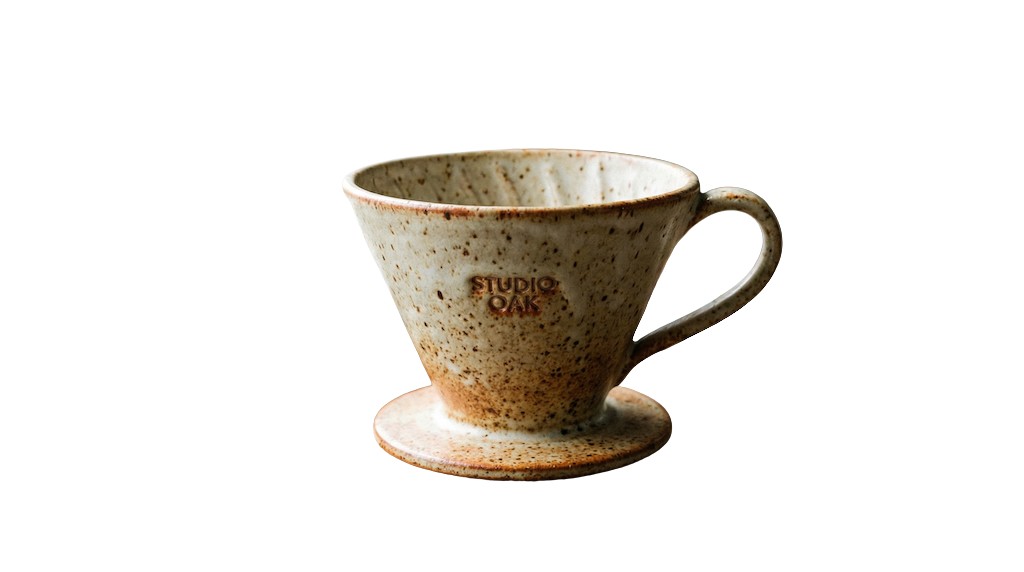
See how a busy background becomes clean and marketplace-ready. The after image shows a bright white background with the product preserved and edges kept crisp.

Pricing and volume
Whether you are editing a handful of listings or a full catalog, choose a plan that matches your volume. You can start free to test quality and upgrade when you need higher-resolution exports or faster throughput.
Related links
Keep going with related resources and the main background removal tool.
FAQs
Will this work with any Shopify theme?
Yes. The images export as standard files that work with any theme. You are simply uploading better product photos, which Shopify themes display normally.
Should I export JPG or PNG?
PNG delivers the cleanest edges, while JPG is smaller and faster to load. Many stores use PNG for hero products and JPG for large catalogs to balance quality and speed.
How do I keep natural shadows?
Keep a soft shadow close to the product and avoid heavy, dark gradients. The tool preserves subtle shadows so the item feels grounded without looking cut out.