remove background from clothing photos
Clean White Backgrounds for Clothing Photos
Clothing images must show texture, fit, and details without distraction. Background2White removes messy backdrops while protecting edges, folds, and seams. The result is a clean white image that looks like a studio shoot and is ready for marketplaces or brand lookbooks.
How it works
Background2White is built for speed and consistency. Upload a photo, let the background removal run, then export a clean white result that is ready for marketplaces, ads, or catalogs. You can repeat the same steps for every image so your catalog stays consistent and your workflow remains simple.
Quality checklist
A clean background is only part of the job. Check edge quality, preserve natural shadows, and confirm that the background is uniformly white. This quick checklist helps you keep the final image consistent across every product photo and listing.
- Edges are crisp with no halos or jagged lines.
- Background is uniform white without gray tones.
- Shadows are soft and close to the subject.
- Resolution is high enough for zoom and detail.
Fabric edges, fraying, and folds
Fabric has complex edges that can appear soft or frayed. A good background remover preserves that softness while keeping the outline clear. This helps garments look natural, especially around collars, hems, and sleeves.
- Keep natural fabric texture
- Avoid harsh cutout lines
- Preserve subtle folds
Ghost mannequin style tips
If you use ghost mannequin photography, a clean white background makes the garment shape stand out. Remove the background first, then fine-tune lighting and shadows to match your brand. The result is a crisp, high-end look without complex editing.
- Highlight garment structure
- Clean edges around collars and cuffs
- Consistent look across collections
Marketplace-ready exports
Apparel marketplaces often prefer bright white backgrounds and consistent sizing. Export high-resolution images so buyers can zoom in on fabric and stitching. If you need smaller files for faster load time, use JPG with a high quality setting.
- High-resolution export for zoom
- Choose PNG for crisp edges
- Use JPG when speed matters
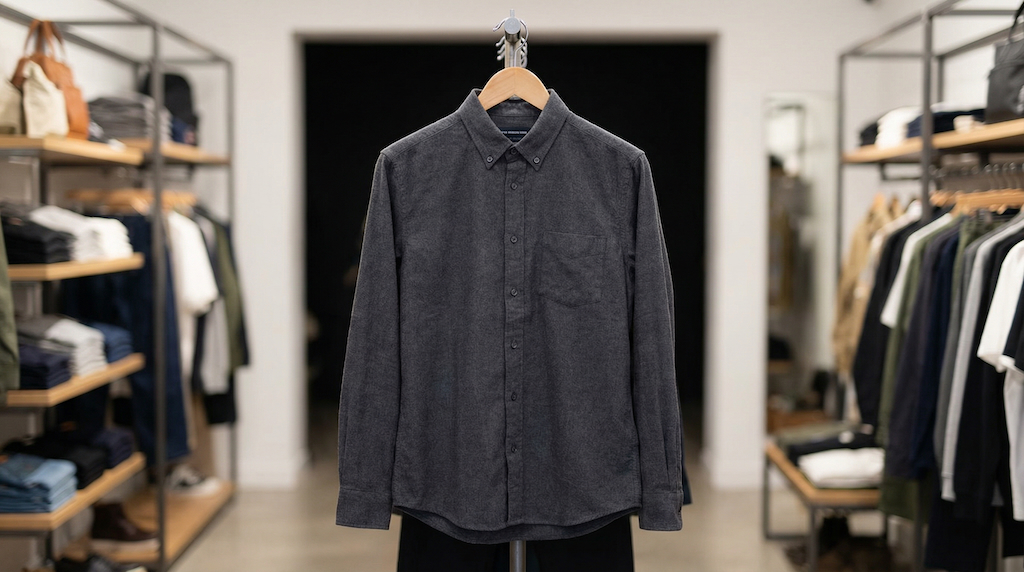
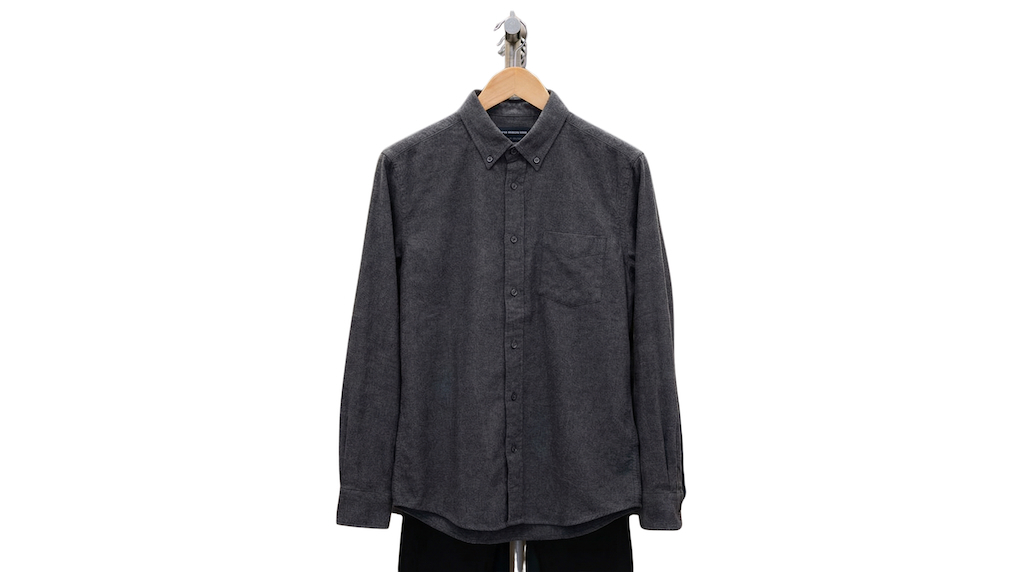
Before and After Preview
See how a busy background becomes clean and marketplace-ready. The after image shows a bright white background with the product preserved and edges kept crisp.
Pricing and volume
Whether you are editing a handful of listings or a full catalog, choose a plan that matches your volume. You can start free to test quality and upgrade when you need higher-resolution exports or faster throughput.
Related links
Keep going with related resources and the main background removal tool.
FAQs
Will it handle complex fabric edges?
Yes. The tool preserves soft fabric edges while keeping the outline clean, so garments look natural and professional.
Can I keep folds/shadows?
Yes. Soft shadows and folds add depth and realism. The background is cleaned while the garment texture remains intact.
Best format for apparel listings?
PNG provides the cleanest edge detail. JPG is fine for large catalogs where file size matters, as long as the quality setting is high.