remove background from shoes
Make Shoe Photos Pop With a White Background
Shoe photography has lots of fine detail: laces, mesh, stitching, and texture. Background2White removes cluttered backgrounds without losing those details. You get a bright white backdrop that makes each pair look premium and consistent across your catalog.
How it works
Background2White is built for speed and consistency. Upload a photo, let the background removal run, then export a clean white result that is ready for marketplaces, ads, or catalogs. You can repeat the same steps for every image so your catalog stays consistent and your workflow remains simple.
Quality checklist
A clean background is only part of the job. Check edge quality, preserve natural shadows, and confirm that the background is uniformly white. This quick checklist helps you keep the final image consistent across every product photo and listing.
- Edges are crisp with no halos or jagged lines.
- Background is uniform white without gray tones.
- Shadows are soft and close to the subject.
- Resolution is high enough for zoom and detail.
Edges around laces and mesh
Laces and mesh can be tricky because they are thin and complex. The tool separates them cleanly so the shoe still looks natural and detailed. This prevents the overly smoothed look that makes products feel cheap.
- Preserve lace holes and stitching
- Keep mesh texture visible
- Avoid clipped or jagged edges
Consistent catalog look
Consistency sells. When every shoe appears on the same clean white background, customers can compare styles easily. It also improves your product grids, search results, and ads because all images share the same professional tone.
- Uniform white backdrop across SKUs
- Better comparison on category pages
- Stronger brand presentation
Quick bulk workflow
You can process images one by one for precision, or move quickly through a bulk shoot to get a large set done in one session. Keep your lighting consistent and use the same export settings for every image so your catalog stays uniform.
- Repeatable steps for large sets
- Consistent settings for every photo
- Fast export for ecommerce uploads
Before and After Preview
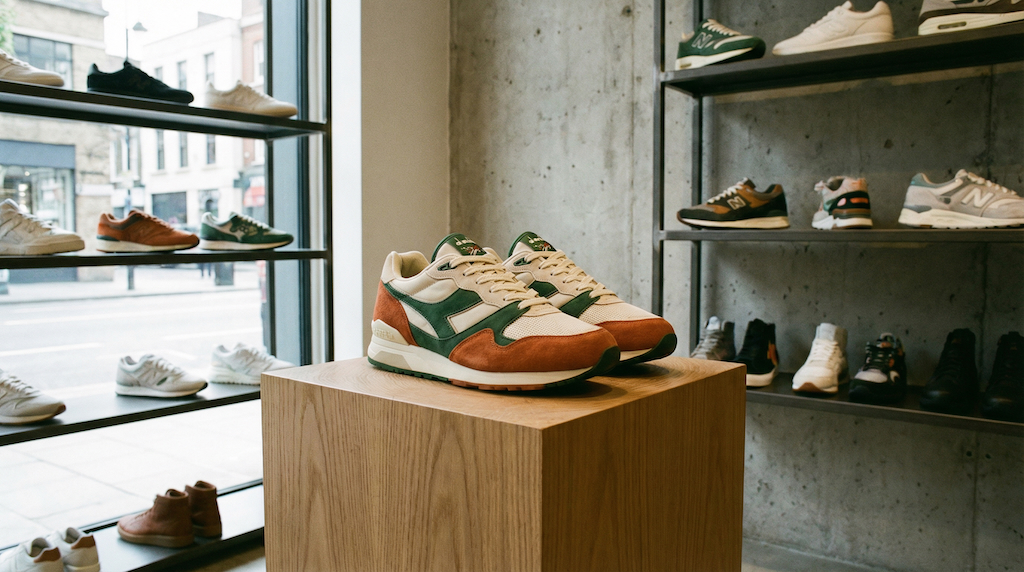
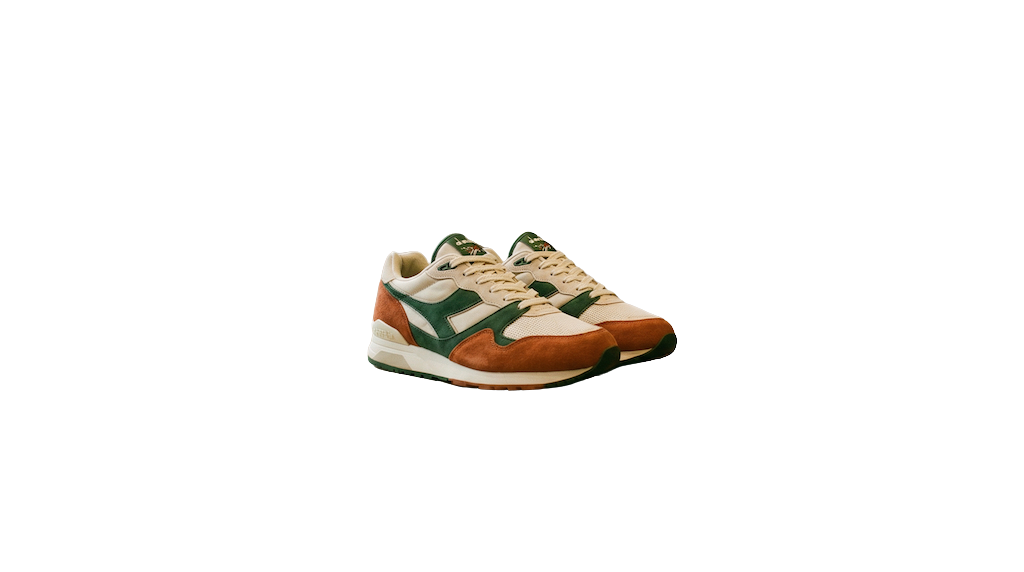
See how a busy background becomes clean and marketplace-ready. The after image shows a bright white background with the product preserved and edges kept crisp.
Pricing and volume
Whether you are editing a handful of listings or a full catalog, choose a plan that matches your volume. You can start free to test quality and upgrade when you need higher-resolution exports or faster throughput.
Related links
Keep going with related resources and the main background removal tool.
FAQs
Will it keep lace details?
Yes. The tool preserves fine lace edges so your shoes keep their texture and realism.
White vs transparent: which is better?
White is best for most marketplaces because it looks clean and meets listing standards. Transparent can be useful for design or overlays, but it may look inconsistent on some platforms.
How do I keep shadows?
Shoot with soft lighting and keep the shadow close to the shoe. The tool can preserve subtle shadows so the product does not appear to float.