remove background from car photos
Professional Car Photos With a Clean Background
Car listings look more trustworthy when every vehicle is shown against a consistent, clean background. Background2White removes distracting scenery and replaces it with a bright, uniform backdrop that highlights the vehicle's shape and condition.
How it works
Background2White is built for speed and consistency. Upload a photo, let the background removal run, then export a clean white result that is ready for marketplaces, ads, or catalogs. You can repeat the same steps for every image so your catalog stays consistent and your workflow remains simple.
Quality checklist
A clean background is only part of the job. Check edge quality, preserve natural shadows, and confirm that the background is uniformly white. This quick checklist helps you keep the final image consistent across every product photo and listing.
- Edges are crisp with no halos or jagged lines.
- Background is uniform white without gray tones.
- Shadows are soft and close to the subject.
- Resolution is high enough for zoom and detail.
Dealership listings & consistent images
Dealers benefit from a uniform look across inventory, especially when photos come from different locations. A clean white background makes every vehicle look like it was shot in the same studio. That consistency improves buyer confidence and makes listings more professional.
- Consistent look across all inventory
- Cleaner thumbnails on marketplaces
- Stronger brand presentation
Handling windows, chrome, and wheels
Cars include reflective surfaces and complex shapes. The tool preserves reflections in chrome and glass while removing cluttered backgrounds. This keeps the vehicle realistic and premium rather than overly cut out.
- Preserve chrome reflections
- Keep windshield and window clarity
- Maintain wheel detail
Export tips for classifieds
Use high-resolution exports for listing sites that allow zoom. For faster load times, export JPG with a quality setting that keeps detail intact. Always check that edges are clean around mirrors, antennas, and rooflines.
- High-res for premium listings
- JPG for smaller file size
- Inspect roof and mirror edges
Before and After Preview
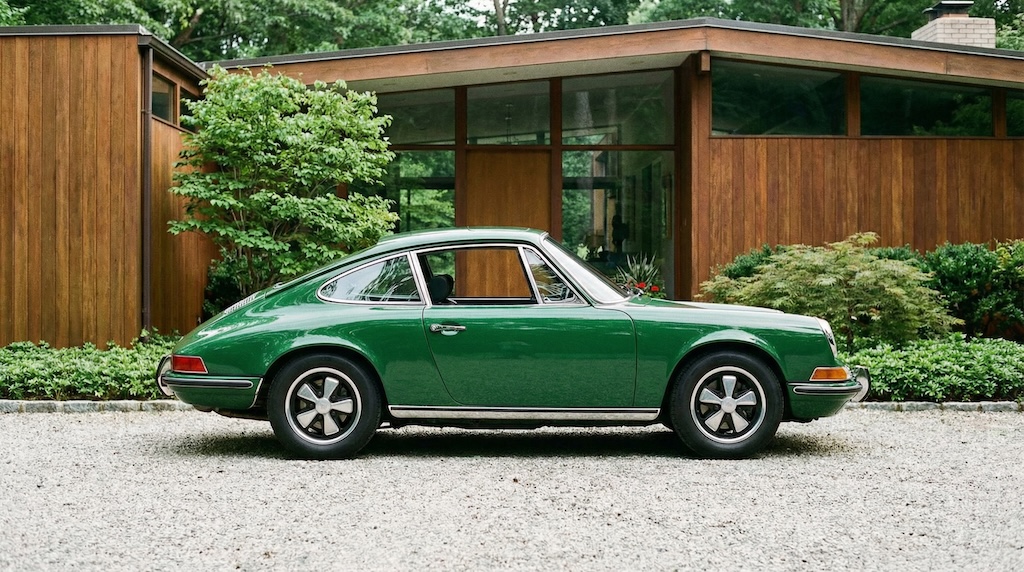
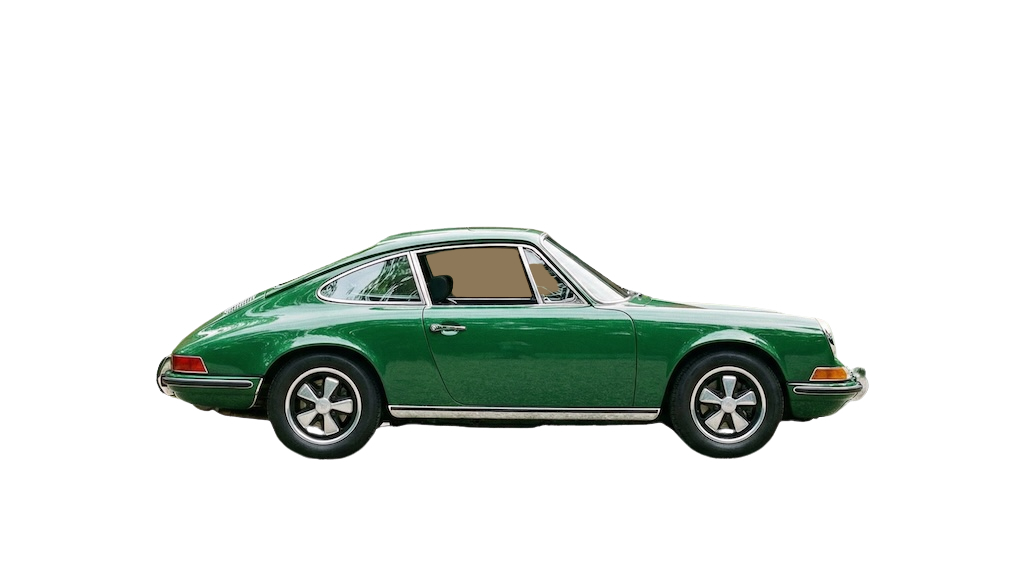
See how a busy background becomes clean and marketplace-ready. The after image shows a bright white background with the product preserved and edges kept crisp.
Pricing and volume
Whether you are editing a handful of listings or a full catalog, choose a plan that matches your volume. You can start free to test quality and upgrade when you need higher-resolution exports or faster throughput.
Related links
Keep going with related resources and the main background removal tool.
FAQs
Does it work with chrome reflections?
Yes. Chrome reflections remain, but the background becomes a clean white so the vehicle looks sharp and professional.
Can I use this for dealership inventory?
Absolutely. It is designed to keep output consistent across many vehicles, which is ideal for inventory listings.
Best image size?
Use the highest resolution you have. Many listing sites accept 1600 pixels or more on the longest side for sharp zooming.