ebay product photo background
Improve eBay Listing Photos With White Backgrounds
eBay shoppers scroll quickly, so a clean, bright product image can be the difference between a click and a pass. Background2White removes messy backgrounds and leaves you with a crisp white image that makes your listings look professional and easy to compare.
How it works
Background2White is built for speed and consistency. Upload a photo, let the background removal run, then export a clean white result that is ready for marketplaces, ads, or catalogs. You can repeat the same steps for every image so your catalog stays consistent and your workflow remains simple.
Quality checklist
A clean background is only part of the job. Check edge quality, preserve natural shadows, and confirm that the background is uniformly white. This quick checklist helps you keep the final image consistent across every product photo and listing.
- Edges are crisp with no halos or jagged lines.
- Background is uniform white without gray tones.
- Shadows are soft and close to the subject.
- Resolution is high enough for zoom and detail.
Cleaner thumbnails = more clicks
Thumbnails are the first thing buyers see. A white background creates strong contrast and helps the product stand out in search results. Clean images also improve perceived condition, which matters when you are selling used or refurbished items.
- Stronger contrast in search results
- More professional listing appearance
- Better perceived item condition
Fast workflow for resellers
Resellers need speed. Background2White gives you a consistent workflow that you can repeat across many items without spending time on manual editing. You can upload, remove, and export quickly to keep listings moving.
- Quick processing for daily listing volume
- Repeatable settings for consistency
- Less time per listing
Best export settings
For eBay, use a high-resolution JPG if you need smaller file sizes or PNG if you want maximum edge quality. Always check that the product fills most of the frame and looks sharp on mobile.
- JPG for faster uploads
- PNG for best edge detail
- Ensure the product fills the frame
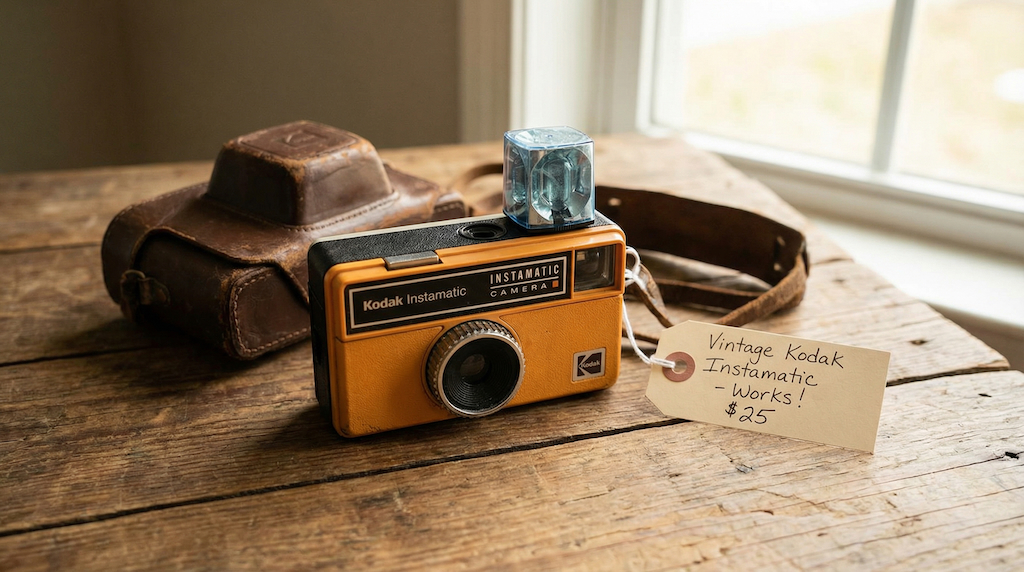
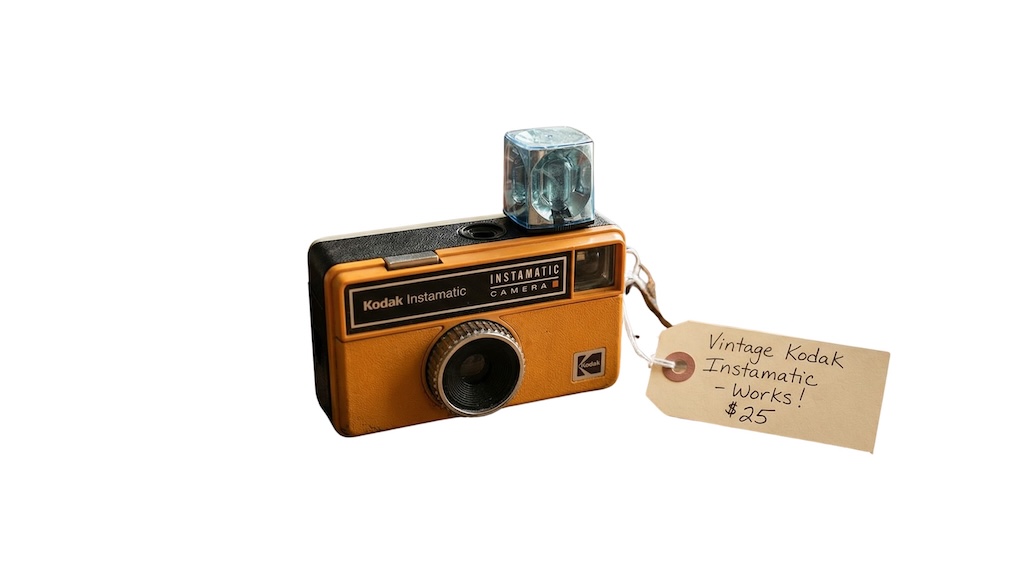
Before and After Preview
See how a busy background becomes clean and marketplace-ready. The after image shows a bright white background with the product preserved and edges kept crisp.
Pricing and volume
Whether you are editing a handful of listings or a full catalog, choose a plan that matches your volume. You can start free to test quality and upgrade when you need higher-resolution exports or faster throughput.
Related links
Keep going with related resources and the main background removal tool.
FAQs
What's the best eBay image format?
JPG is most common and loads quickly, but PNG gives cleaner edges. Choose the one that balances size and clarity for your listings.
Will it remove cluttered backgrounds?
Yes. The tool removes the entire background and replaces it with white, which is ideal for busy or inconsistent environments.
Can I process many images quickly?
Yes. The workflow is designed for speed, so you can process multiple items in a row and keep a consistent look.